# moreficent-status

### Arguments

<table><thead><tr><th width="175">Argument</th><th width="101" align="center">Type</th><th width="104" align="center">Optional</th><th>Interpretation</th></tr></thead><tbody><tr><td><code>--server</code></td><td align="center"><code>String</code></td><td align="center">Yes</td><td>URL of Moreficent server. Overrides the configured value if provided. </td></tr><tr><td><code>--access-key</code></td><td align="center"><code>String</code></td><td align="center">Yes</td><td>Your access key. Overrides configured value if provided. </td></tr><tr><td><code>--secret-key</code></td><td align="center"><code>String</code></td><td align="center">Yes</td><td>Your secret key. Overrides configured value if provided.</td></tr><tr><td><code>--pretty</code></td><td align="center"><code>flag</code></td><td align="center">Yes</td><td>Pretty prints output. Default is JSON.</td></tr></tbody></table>

### Successful Output

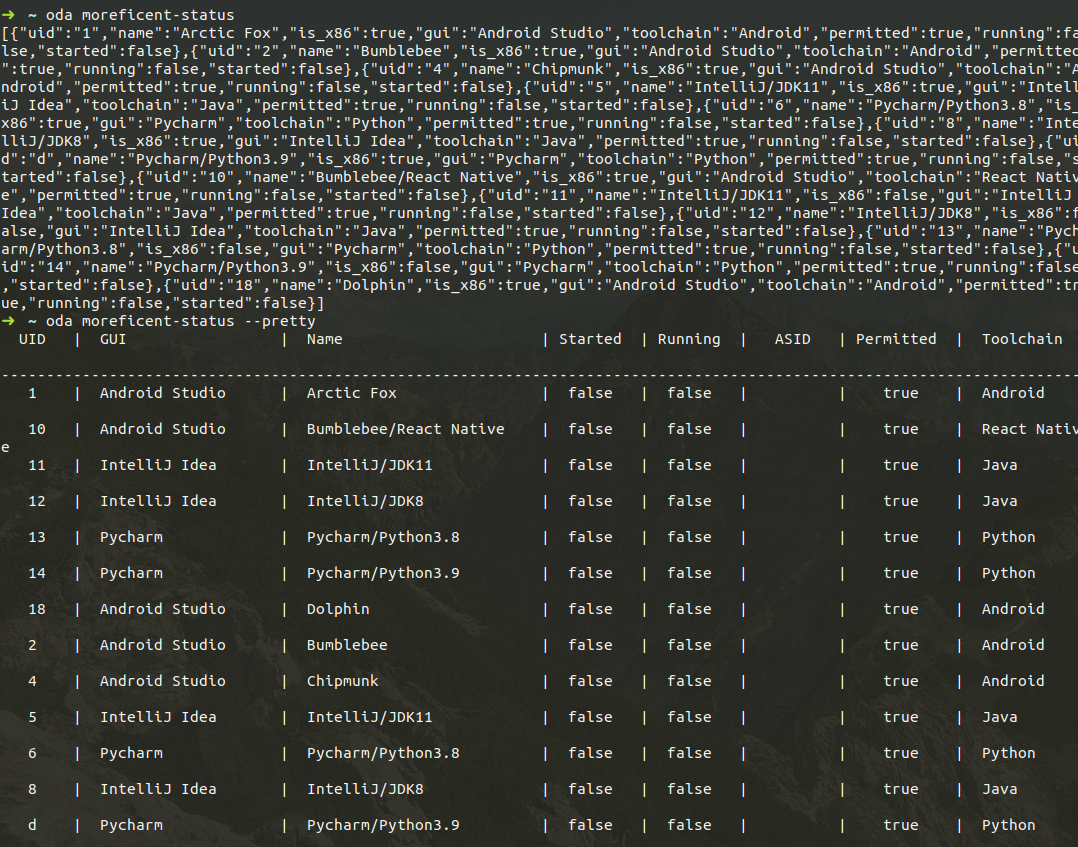
When called without the `--pretty` flag, the result is a JSON array in which each entry is an object with the following fields:

<table><thead><tr><th width="208" align="center">Field</th><th width="113" align="center">Type</th><th>Intepretation</th></tr></thead><tbody><tr><td align="center"><code>uid</code></td><td align="center"><code>String</code></td><td>UID of the configured Environment</td></tr><tr><td align="center"><code>name</code></td><td align="center"><code>String</code></td><td>Name of the configured Environment</td></tr><tr><td align="center"><code>is_x86</code></td><td align="center"><code>bool</code></td><td>Whether the Environment runs on an x86 machine</td></tr><tr><td align="center"><code>gui</code></td><td align="center"><code>String</code></td><td>The configured graphical application of the environment</td></tr><tr><td align="center"><code>toolchain</code></td><td align="center"><code>String</code></td><td>Supported toolchain(s) in the environment</td></tr><tr><td align="center"><code>permitted</code></td><td align="center"><code>bool</code></td><td>Whether the Environment can be launched</td></tr><tr><td align="center"><code>started</code></td><td align="center"><code>bool</code></td><td>Whether the Environment has been started</td></tr><tr><td align="center"><code>running</code></td><td align="center"><code>bool</code></td><td>Whether the Environment is running</td></tr><tr><td align="center"><code>auto_session_id</code></td><td align="center"><code>uint32</code></td><td>Auto Session ID (<code>asid</code>) of the Environment. The field is absent if the Environment is not running. </td></tr></tbody></table>

The result is pretty printed when called with the `--pretty` flag.&#x20;

<figure><img src="/files/TpeIy3h39G65fecuFa62" alt=""><figcaption></figcaption></figure>


---

# Agent Instructions: Querying This Documentation

If you need additional information that is not directly available in this page, you can query the documentation dynamically by asking a question.

Perform an HTTP GET request on the current page URL with the `ask` query parameter:

```
GET https://oda.moreficent.com/command-reference/moreficent-status.md?ask=<question>
```

The question should be specific, self-contained, and written in natural language.
The response will contain a direct answer to the question and relevant excerpts and sources from the documentation.

Use this mechanism when the answer is not explicitly present in the current page, you need clarification or additional context, or you want to retrieve related documentation sections.